Tasks To Do Today1.0.7
Publisher Description

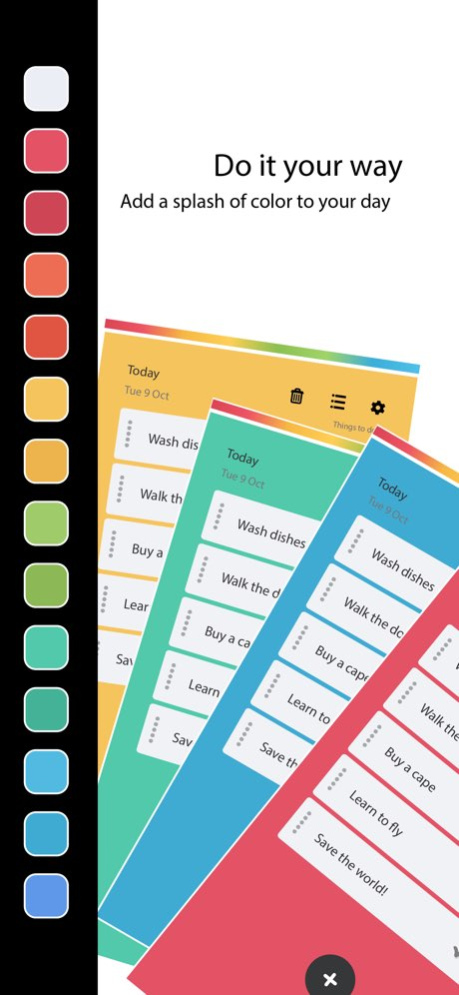


Today makes your day more productive!
Today is a powerful productivity to-do and task list app that will keep you focused and on course throughout your busy day.
Making lists is a great way to get things done, and with its many features, 'Today' makes your daily life a much easier task to manage.
Features include
- Save a single message or split into list elements with a single push of a button.
- Customize colors.
- Time editor for scheduling.
- List groups to separate lists.
- Simple tap to mark tasks done.
- Drag list down to clear done tasks.
- Switch between bullet points and times.
- more to come...
Version History This update includes mandatory changes to the app's age rating classification to comply with the latest App Store guidelines and regional regulations. 1.0.7 Jan 14 SDK updates & ATT support 1.0.6 04/27/2021 App performance improvements 1.0.5 04/07/2020 Redesign of app
Stability and overall interface improvements 1.0.4 10/12/2018 Adjusts UI for time settings panel 1.0.3 08/17/2016 Performance improvements 1.0.2 08/02/2016 Adds Japanese language support 1.0.1 06/29/2016 1.0 06/23/2016
About Tasks To Do Today
The company that develops Tasks To Do Today is Ben Walker. The latest version released by its developer is 1.0.7.
To install Tasks To Do Today on your iOS device, just click the green Continue To App button above to start the installation process. The app is listed on our website since 2026-10-14 and was downloaded 2 times. We have already checked if the download link is safe, however for your own protection we recommend that you scan the downloaded app with your antivirus. Your antivirus may detect the Tasks To Do Today as malware if the download link is broken.
How to install Tasks To Do Today on your iOS device:
- Click on the Continue To App button on our website. This will redirect you to the App Store.
- Once the Tasks To Do Today is shown in the iTunes listing of your iOS device, you can start its download and installation. Tap on the GET button to the right of the app to start downloading it.
- If you are not logged-in the iOS appstore app, you'll be prompted for your your Apple ID and/or password.
- After Tasks To Do Today is downloaded, you'll see an INSTALL button to the right. Tap on it to start the actual installation of the iOS app.
- Once installation is finished you can tap on the OPEN button to start it. Its icon will also be added to your device home screen.
Program Details
System requirements
Download information
Pricing
Version History
version 1.0.7
posted on 2026-10-14
Version History This update includes mandatory changes to the app's age rating classification to comply with the latest App Store guidelines and regional regulations. 1.0.7 Jan 14 SDK updates & ATT support 1.0.6 04/27/2021 App performance improvements 1.0.5 04/07/2020 Redesign of app
Stability and overall interface improvements 1.0.4 10/12/2018 Adjusts UI for time settings panel 1.0.3 08/17/2016 Performance improvements 1.0.2 08/02/2016 Adds Japanese language support 1.0.1 06/29/2016 1.0 06/23/2016
version 1.0.7
posted on 2026-01-14
This update includes mandatory changes to the app's age rating classification to comply with the latest App Store guidelines and regional regulations.
version 1.0.6
posted on 2021-04-27
Apr 27, 2021
Version 1.0.6
SDK updates & ATT support
